

You’re using Claude AI, everything is working fine, and suddenly you see a message like “Rate limit exceeded.” The response stops. Your workflow pauses. That feels frustrating, especially if you’re using Claude for development, writing, or automation. This guide explains what the Claude AI rate exceeded error means, why it happens, and how you can fix it quickly.
What Does “Claude AI Rate Exceeded” Mean?
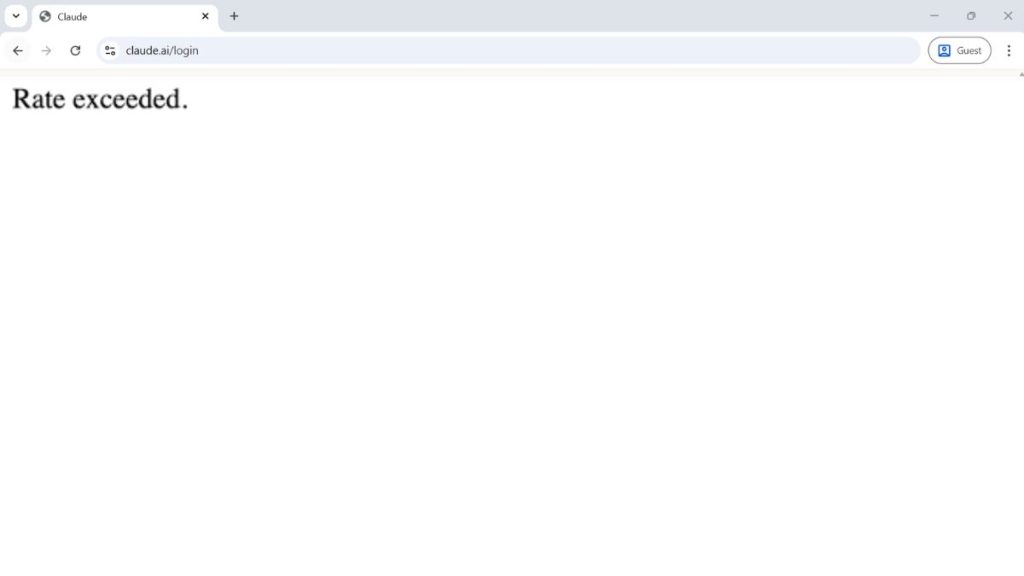
When you see a rate exceeded error in Claude AI, it means your account has hit a usage limit set by Anthropic. Claude uses rate limiting to protect its servers from overload. If too many requests are sent in a short time, or if token usage exceeds the allowed threshold, the system blocks further responses temporarily.
In API integrations, this often appears as an HTTP 429 error. The limit can apply to requests per minute, tokens per minute, or total usage quota depending on your plan. This does not mean Claude is broken. It simply means the system is managing traffic and enforcing usage boundaries.
You may see this error in the Claude web app or as a JSON API response when using the Claude API with your API key. It is common during automation scripts or when multiple requests run at the same time.
Common Causes of Claude AI Rate Exceeded Error
This error usually happens because usage crosses predefined limits.
- Sending too many prompts in a short time
- High token consumption in large responses
- Multiple concurrent API requests
- Reaching free-tier usage quota
- Background automation scripts sending repeated calls
- Long context history increasing token count
- Shared API key used across multiple applications
- Temporary server load during peak traffic
Each of these increases request frequency or token usage beyond the allowed rate.
How to Fix Claude AI Rate Exceeded Error?
Start with the simplest solution. In many cases, the fix is temporary and easy.
Fix 1: Wait and Retry
Rate limiting often resets after a short window. Wait a few minutes. Then send the request again. Many limits operate per minute, so a pause helps.
Fix 2: Reduce Request Frequency
If you are sending multiple prompts quickly, slow down. Follow these steps to reduce request bursts.
- Add a short delay between requests.
- Avoid refreshing the page repeatedly.
- Limit simultaneous queries.
Spacing out prompts prevents hitting requests-per-minute limits.
Fix 3: Lower Token Usage
Large prompts and long responses consume more tokens.
Try shortening your prompt. Reduce unnecessary context. Request shorter responses. This decreases tokens per minute usage and lowers the chance of throttling.
Fix 4: Implement Exponential Backoff (For API Users)
If you use the Claude API, automatic retry logic helps.
Below are the steps that will guide you to implement retry control.
- Detect HTTP 429 response.
- Wait a few seconds before retrying.
- Increase delay after each failed attempt.
- Stop after a defined number of retries.
This method prevents repeated rapid calls.
Fix 5: Check Your Usage Dashboard
Anthropic provides account usage tracking.
Log into your Claude or Anthropic dashboard. Review token usage and request counts. Confirm whether you reached your quota. Monitoring helps you understand the limit source.
Fix 6: Upgrade Your Plan
Free-tier accounts have stricter limits. If your work requires higher usage, consider upgrading to a paid plan. Higher tiers allow increased tokens per minute and higher request limits.
Fix 7: Use a Queue System for Automation
If your backend sends multiple API calls at once, introduce a queue.
Process requests sequentially instead of simultaneously. A queue system controls concurrency and reduces server throttling.
Fix 8: Secure and Manage API Keys
Shared API keys increase total traffic. Ensure only one application uses the key. Avoid exposing it publicly. If necessary, generate a new API key and limit access.
Prevention Tips
Preventing the rate exceeded error requires smarter usage habits. Monitor your token consumption regularly. Avoid burst traffic when possible. Cache previous responses to prevent duplicate calls. Keep prompts concise and focused. Use exponential backoff in production systems.
Review your plan limits before scaling automation. These small steps help maintain stable Claude AI performance.
- Monitor tokens per minute
- Avoid rapid consecutive prompts
- Use retry logic
- Cache responses
- Limit concurrent API calls
- Review usage dashboard regularly
Conclusion
In short, the Claude AI rate exceeded error means your account hit a request or token limit set by Anthropic. It often appears during rapid prompts, automation bursts, or high token usage. Most users fix it by waiting briefly, reducing request frequency, or upgrading their plan.
If the error continues despite low usage, check the Anthropic status page or contact support. With proper usage management, you can avoid hitting rate limits and keep your workflow smooth.