
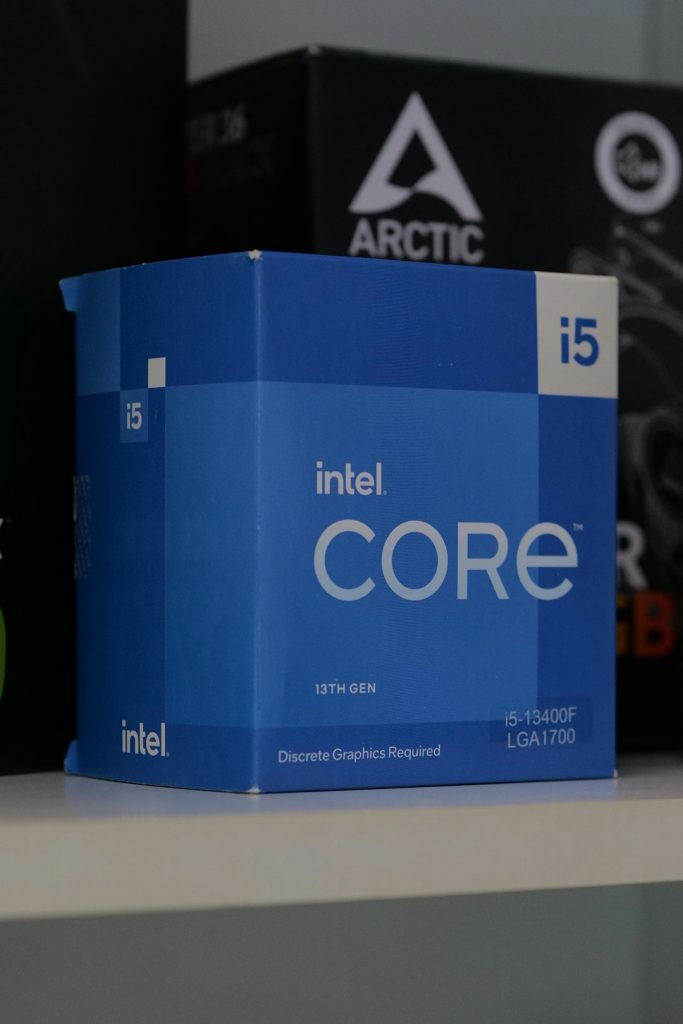
You have an Intel Core i5-9400F. You are eyeing an RTX 3060 Ti. And now you are wondering: will this combo play nice, or will your CPU hold your shiny GPU back? Good question. Let’s break it down in a simple and fun way.
TLDR: Yes, the i5-9400F can bottleneck the RTX 3060 Ti in some games, especially at 1080p. It depends on the game and resolution. At 1440p, the bottleneck is smaller and often not noticeable. If you mostly game at higher resolutions or play GPU-heavy titles, the combo is still solid.
First, What Is a Bottleneck?
A “bottleneck” happens when one component limits another. Think of it like traffic. If your GPU is a sports car but your CPU is a narrow road, the car cannot go full speed.
In gaming:
- The CPU handles game logic, physics, and AI.
- The GPU handles graphics and visuals.
If your CPU cannot feed data fast enough to the GPU, the GPU waits. That is a bottleneck.
Meet the i5-9400F
The i5-9400F is a 9th-gen Intel processor. It has:
- 6 cores
- 6 threads
- Base clock of 2.9 GHz
- Boost clock up to 4.1 GHz
- No integrated graphics
It was a great mid-range gaming CPU when it launched. And it still holds up in many games today.
But there is one catch. It has no hyper-threading. That means only 6 threads total. Modern games love more threads.

Meet the RTX 3060 Ti
The RTX 3060 Ti is powerful. Very powerful.
- 8GB GDDR6 VRAM
- Great 1080p performance
- Excellent 1440p performance
- Ray tracing support
- DLSS support
It can push high frame rates in most modern games. In many cases, over 100 FPS at 1080p.
So pairing it with a mid-range older CPU naturally raises questions.

1080p Gaming: The Bottleneck Zone
At 1080p, games rely more on the CPU. Why? Because the GPU finishes rendering frames quickly. Then it waits for the CPU to prepare the next one.
In this resolution:
- Esports titles can show a bottleneck.
- CPU-heavy games may struggle.
- You might not reach the maximum possible FPS.
For example:
- CS2
- Warzone
- Fortnite
- Assassin’s Creed Valhalla
In these games, the GPU could push more frames. But the i5-9400F might limit peak FPS.
Will it be terrible? No. Not at all. You may see slightly lower 1% lows. And maybe 10–20% less performance compared to pairing the GPU with a modern CPU.
But the games will still run smoothly in most cases.
1440p Gaming: A Better Match
At 1440p, things change.
The GPU now works much harder. It becomes the main limiting factor. This reduces CPU bottlenecks.
With the i5-9400F + RTX 3060 Ti at 1440p:
- GPU usage is usually near 100%.
- CPU usage is more balanced.
- Bottleneck impact is smaller.
In many AAA games, the difference between the i5-9400F and a newer CPU becomes less noticeable.
If you mainly game at 1440p, this combo makes more sense.
What About Ray Tracing?
Ray tracing hits the GPU hard.
That means the GPU becomes the main workload carrier. Good news for weaker CPUs.
When you enable ray tracing:
- GPU load increases.
- CPU bottleneck impact decreases.
- Overall FPS drops anyway.
So in ray-traced games, your CPU is less of a problem.
How Big Is the Bottleneck Really?
Let’s keep this simple.
In most real-world scenarios:
- At 1080p high FPS gaming: Moderate bottleneck
- At 1440p: Minor bottleneck
- At 4K: Almost no meaningful bottleneck
The biggest issue appears if you:
- Play competitive shooters
- Use a 144Hz or 240Hz monitor
- Want the absolute highest FPS possible
Then yes, the i5-9400F can hold the RTX 3060 Ti back.
Signs You Are CPU Bottlenecked
Not sure if you are bottlenecked? Look for these clues:
- GPU usage below 90% in demanding scenes
- CPU usage near 100%
- Frame drops in busy areas
- Lower 1% low FPS
You can check this using tools like MSI Afterburner.
Image not found in postmetaIs It Worth Upgrading the CPU?
This is the big question.
If you already own the i5-9400F:
- Upgrading only for the RTX 3060 Ti is not urgent.
- The combo is still very playable.
But if you want:
- Maximum FPS in esports titles
- Better multitasking
- Future-proofing
Then a newer CPU like an i5-12400F or Ryzen 5 5600 would make a noticeable difference.
Those CPUs have:
- More threads
- Better architecture
- Stronger single-core performance
And yes, they unlock more of the 3060 Ti’s full potential.
What About Streaming or Background Tasks?
This is where the i5-9400F struggles more.
Remember. It has only 6 threads.
If you:
- Stream while gaming
- Run Discord, Chrome, and background apps
- Record gameplay
You may feel stutters.
The RTX 3060 Ti has NVENC encoding. That helps with streaming. But the CPU still handles system tasks.
In this case, a CPU upgrade would help more than a GPU upgrade.
Balanced Build or Overkill?
Is the RTX 3060 Ti too strong for the i5-9400F?
Not really. But it is slightly unbalanced at 1080p.
Think of it like this:
- The GPU is upper mid-range.
- The CPU is older mid-range.
They are not worlds apart. But they are not perfect partners either.
Should You Still Pair Them?
Yes, if:
- You already own the i5-9400F
- You game at 1440p
- You mainly play GPU-heavy titles
- You are okay with “very good” instead of “absolute max” performance
Maybe not, if:
- You are building from scratch
- You want 200+ FPS in competitive games
- You plan to upgrade again soon anyway
Final Verdict
The i5-9400F can bottleneck the RTX 3060 Ti. But it is not a disaster.
At 1080p high refresh rate gaming, the limit is noticeable. At 1440p, it is much less of a problem. At 4K, it barely matters.
This combo still delivers excellent gaming performance in 2026. Especially if you already own the CPU.
If you crave every last frame, upgrade the CPU. If you just want smooth and enjoyable gaming, you are absolutely fine.
Sometimes, “good enough” really is good enough.