When you try to join a modded Minecraft server and see Failed to sync registries from the server followed by java.lang.NullPointerException, the game usually kicks you back to the menu. Sometimes it happens instantly. Sometimes it gets stuck while loading and then disconnects.
This error mainly appears in Minecraft when the client and server cannot agree on registry data. Registries control blocks, items, entities, and mod content. If something does not match, Minecraft stops the connection to avoid crashes.
This guide explains what the error means, why the NullPointerException shows up, and how to fix it step by step.
What Does “Failed to Sync Registries from the Server” Mean?
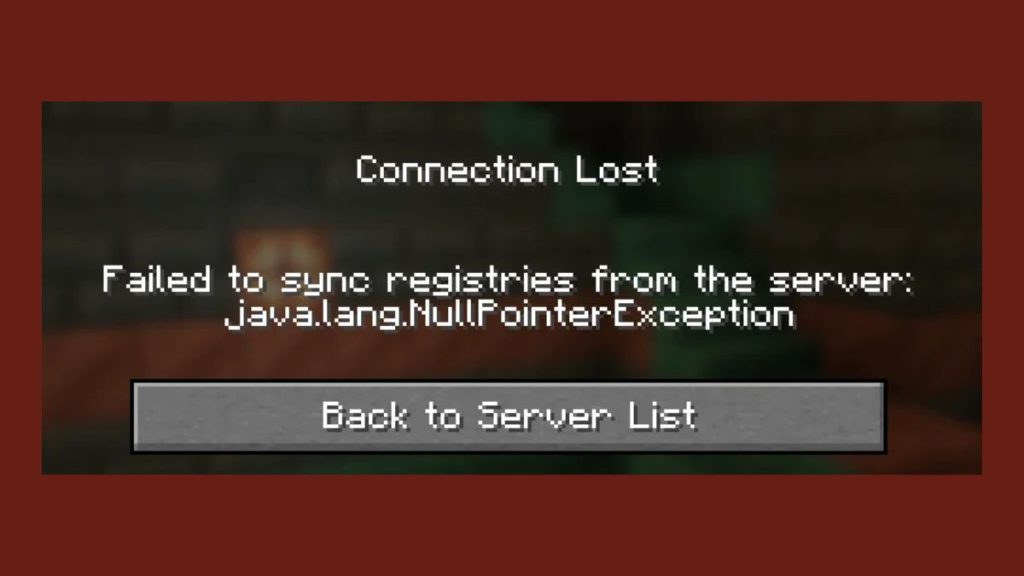
When you join a server, Minecraft compares registry data between your game and the server. This includes modded blocks, items, fluids, dimensions, and other registered objects. The game expects both sides to have the same structure and values.
If the registry data does not match, synchronization fails. At that point, Minecraft disconnects the client. The error message appears before the world loads, which is why you never reach gameplay.
The message often appears in modded environments using Minecraft Forge or Fabric Loader.
Why java.lang.NullPointerException Appears With This Error
A java.lang.NullPointerException means Java tried to access something that does not exist. In registry sync errors, this usually means a mod expected registry data but received nothing.
This happens when a mod is missing, broken, or incompatible. Java cannot load the required registry entry, so it throws a NullPointerException and stops the connection.
The exception itself is not the root problem. It is a signal that registry data is incomplete or invalid.
Common Causes of Registry Sync Failure
Registry sync errors do not come from one single mistake. Several things can trigger them.
- Client and server have different mod lists
- Mod versions do not match exactly
- A dependency mod is missing
- A mod was removed but config files remain
- Registry or config files became corrupted
- Forge or Fabric versions are different
Even one mismatched mod can break registry synchronization.
How to Fix Failed to Sync Registries from the Server
If you are seeing Failed to sync registries from the server java.lang.NullPointerException, follow the steps below one by one. Stop when the server allows you to join normally.
1. Make Sure Client and Server Mods Match Exactly
This is the most common cause.
Your mod folder must match the server mod folder. This includes:
- Same mod names
- Same mod versions
- Same number of mods
If the server uses a modpack, download that exact pack. Do not add extra mods. Do not remove any unless the server admin confirms it.
Even client-only mods can cause registry issues in some setups.
2. Check Forge or Fabric Version Compatibility
Mod loaders must match on both sides.
Check the exact version of Minecraft Forge or Fabric Loader used by the server. Your client must use the same loader version, not just the same Minecraft version.
A small version difference can change registry behavior and cause sync failure.
3. Remove Recently Added or Updated Mods
If the error started after adding or updating a mod, that mod is likely the problem.
Remove the most recent mod changes first. Then try joining the server again. If the error disappears, you have found the source.
Some mods change registry data heavily and break compatibility when versions differ.
4. Reset Config and Registry Files
Old or corrupted configuration files can cause registry mismatches.
Close Minecraft completely. Go to the config folder inside your Minecraft directory. Rename the folder instead of deleting it. This forces the game to generate fresh config files.
After resetting configs, launch the game and join the server again.
This fix works when registries reference outdated config values.
5. Check latest.log to Find the Exact Mod Causing the Error
Minecraft logs usually point to the problem mod.
Open the latest.log file inside the logs folder. Scroll to the bottom and look for lines mentioning registries, missing entries, or NullPointerException.
Common clues include:
- Mod ID names
- Missing registry keys
- Failed object registration
The mod mentioned closest to the error is often the cause.
6. Verify Java Version Compatibility
Minecraft mods rely on Java behavior.
Check that your Java version matches what the mod loader expects. Some modpacks require specific Java versions to handle registries correctly.
Using an unsupported Java runtime can trigger NullPointerException errors during registry loading.
When the Problem Is on the Server Side
Sometimes the issue is not on your computer.
If all client checks pass and the error persists, the server may have:
- Broken registry data
- Missing dependency mods
- Incorrect mod removal
In this case, only the server administrator can fix it. Share your latest.log with them so they can identify the registry issue.
How to Avoid Registry Sync Errors in the Future
You can reduce these errors with a few habits.
- Always use the exact modpack provided
- Avoid updating mods alone
- Backup config files before changes
- Keep client and server loaders aligned
Small differences cause big problems in modded Minecraft.
Final Thoughts
The Failed to sync registries from the server java.lang.NullPointerException error looks scary, but it usually comes from mod mismatch or broken registry data. Once client and server match, the error disappears.
If this guide helped you, share it with others facing the same issue. You can also comment with what fixed the problem for you. That helps other players solve it faster.
Published on January 27, 2026 under .
