In this guide, you’ll learn what this error means, why it happens, how to fix it step by step, and how to avoid it in the future.
What Is MI Account ID Invalid Username or Password Error?
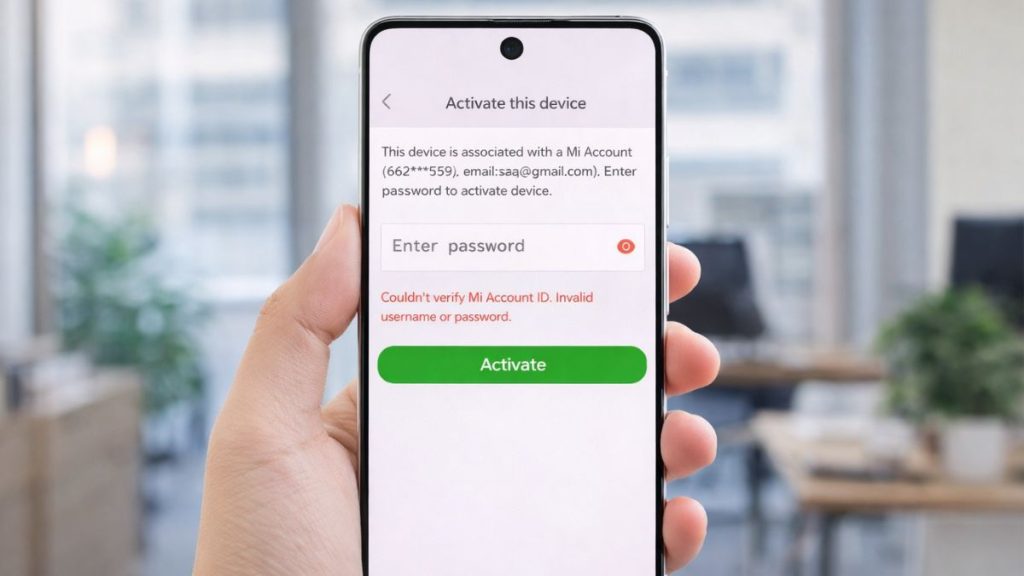
This error appears when your Mi Account login fails during authentication. It means the system cannot verify your username or password with the authentication server. Sometimes, this happens because the login credentials are incorrect, but other times it connects to a session issue or server response problem. The Xiaomi system checks your account details before giving access to services like Mi Cloud, device sync, and settings.
If something does not match or fails during verification, it stops the login and shows this error. It may also happen due to cached login data or outdated system settings.
You will usually see this message on a Xiaomi phone login screen, inside the Settings app, or on the Mi Cloud web login page. It may appear when you try to sign in, sync data, or verify your account.
Common Causes of MI Account Login Error
This error can happen due to several reasons related to your account, device, or network. Below are the most common causes.
- Incorrect username or password entered during login
- Forgotten or recently changed account credentials
- Temporary authentication server issue
- Weak or unstable internet connection
- Corrupted cache data in the app or system
- Account locked after multiple failed login attempts
- Outdated system or Xiaomi app version
How to Fix MI Account ID Invalid Username or Password Error?
In most cases, you can fix this issue by checking your login details, network, or device settings. Sometimes the problem is simple, so try each fix step by step.
Fix #1: Check Username and Password Carefully
This error often appears when login details are entered incorrectly. Even a small typing mistake can stop authentication. When you enter the correct credentials, the system can verify your account successfully.
Follow the steps below to easily check your login details.
- Re-enter your username or email
- Check for spelling mistakes
- Make sure caps lock is off
- Enter password carefully
- Try logging in again
Fix #2: Reset Your MI Account Password
If you forgot your password, resetting it can solve the issue. A new password allows the system to verify your account again without errors.
Here are the following steps which help you to reset your password.
- Go to Mi Account login page
- Click forgot password
- Enter your email or phone number
- Verify with code
- Set a new password
Fix #3: Check Internet Connection
A weak network can interrupt communication with the authentication server. Without a stable connection, login verification may fail.
Try these simple steps to quickly check your internet connection.
- Open network settings
- Check Wi-Fi or mobile data
- Restart your router
- Switch network if needed
- Try logging in again
Fix #4: Clear Cache and App Data
Cached data can sometimes store incorrect login information. Clearing it helps your device fetch fresh data from the server.
The following steps will show you how to clear cache properly.
- Open Settings
- Go to Apps
- Select Mi Account or related app
- Tap clear cache
- Restart the app
Fix #5: Restart Your Device
Sometimes the issue comes from a temporary system glitch. Restarting refreshes system processes and clears session errors.
Press the power button, restart your Xiaomi device, and then try logging in again.
Fix #6: Update System or App
An outdated system may not work well with current server settings. Updating fixes bugs and improves compatibility.
These are the exact steps you need to follow to update your system successfully.
- Open Settings
- Go to system update
- Check for updates
- Install latest version
- Restart device
Fix #7: Try Logging in via Browser
Sometimes the issue is limited to the app. Logging in through a browser helps you check if your account works properly.
Open the Mi Cloud website on Chrome or Safari, log in with your account, and verify if it works.
Fix #8: Wait and Try Again Later
Sometimes the problem comes from server issues. When the authentication server is busy or down, login may fail. Waiting for some time can resolve it.
Close the app, wait a few minutes, and try logging in again later.
Prevention Tips to Avoid MI Account Login Issues
Fixing the issue is important, but preventing it makes things easier. When you follow simple account habits, you reduce login problems and keep your account secure. Keeping your system updated and managing your credentials properly helps a lot.
- Save your login details securely
- Use a strong and updated password
- Avoid too many failed login attempts
- Keep your device and apps updated
- Use a stable internet connection
- Enable account recovery options
- Log out properly when needed
Conclusion
In short, the “couldn’t verify MI account ID invalid username or password” error happens when your login credentials cannot be verified due to network issues, incorrect details, or server problems. It may also come from cache data or outdated system settings. Once you understand the cause, fixing it becomes simple.
Try each solution step by step and see what works for you. If the issue still continues, contact Xiaomi support for help. And if this guide helped you, share it with others or leave a comment about your experience.
Published on March 18, 2026 under .
