Intel’s processor naming has evolved rapidly in recent years, leading many PC buyers to ask an important question: Is Intel Core Ultra 9 faster than i9? On the surface, “Ultra 9” sounds like a direct replacement for the familiar Core i9 branding. However, performance depends on architecture, generation, power limits, and intended use case—not just the name printed on the box.
TLDR: Core Ultra 9 is not automatically faster than every Core i9. In many laptop scenarios, Core Ultra 9 chips deliver better efficiency and AI features while matching or slightly exceeding recent mobile i9 processors. However, high-end desktop Core i9 CPUs still outperform Core Ultra 9 in raw multi-core performance. The answer depends on whether the comparison is between laptop or desktop chips and which generation is involved.
Understanding the Naming Shift
Intel introduced the Core Ultra branding in 2023 with its Meteor Lake architecture. This marked a shift away from the long-running “Core i” naming convention that had been used since 2008. While Core i9 continues to exist—especially in desktops—Core Ultra represents a new design philosophy focused on efficiency, AI acceleration, and modular chip architecture.
In simple terms:
- Core i9 = Traditional high-end Intel SKU (mostly desktop and high-performance laptops)
- Core Ultra 9 = Premium tier of the new-generation Intel mobile processors
The two names overlap in market position, but they are not always direct generational equivalents.
Architectural Differences
Performance differences begin at the architectural level. Core Ultra processors use Intel’s newer tiled design, separating compute, graphics, and SoC components into distinct tiles. Core i9 desktop processors, especially 13th and 14th Gen Raptor Lake chips, use a monolithic design optimized for raw power.
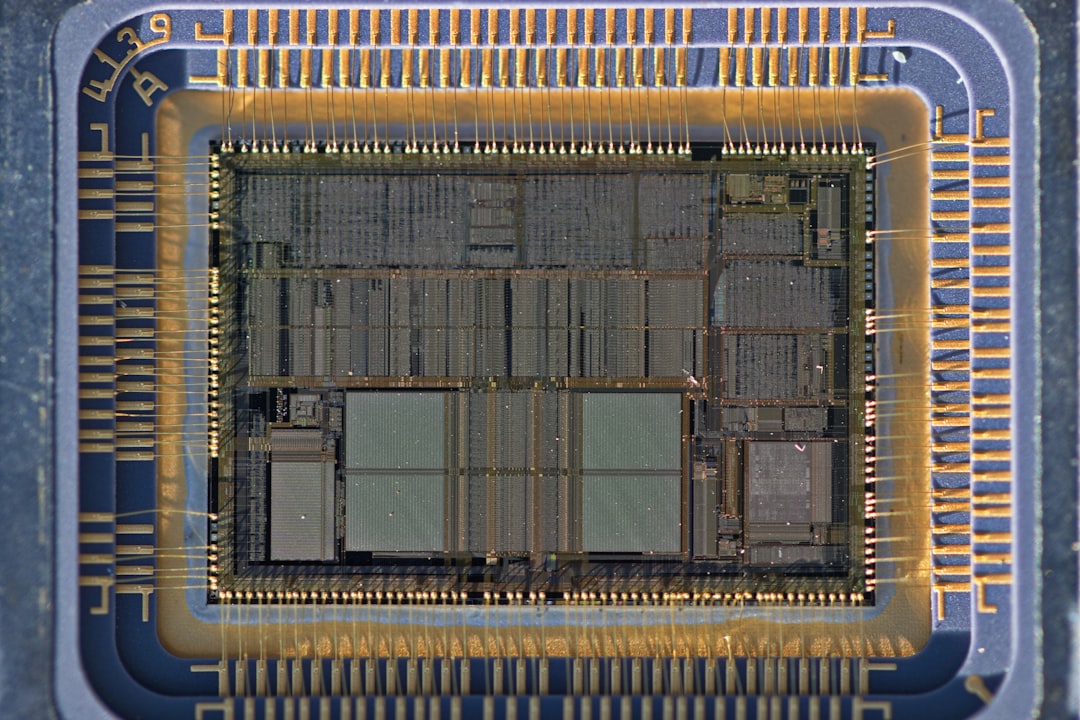
Core Ultra 9 Highlights:
- Built with Intel 4 process technology
- Integrated NPU (Neural Processing Unit) for AI workloads
- Focus on power efficiency and battery life
- Advanced integrated graphics (Intel Arc-based)
Core i9 Highlights (13th/14th Gen Desktop):
- High core and thread counts
- Very high boost clock speeds (often 5.5 GHz or higher)
- Designed for sustained heavy workloads
- Requires significant cooling and power delivery
The Core Ultra design prioritizes balanced computing, while the Core i9 desktop chips aim for maximum performance regardless of power draw.
Performance Comparison: Laptop vs Desktop
One common source of confusion is that most Core Ultra 9 processors are laptop chips, whereas many well-known Core i9 chips are desktop CPUs. Comparing them directly can be misleading.
Single-Core Performance
In single-core benchmarks, recent Core Ultra 9 processors perform competitively with mobile Core i9 chips. Thanks to architectural improvements, they often match or slightly exceed older 12th Gen and 13th Gen mobile i9 CPUs.
However, top-tier desktop Core i9 processors still maintain an edge due to higher sustained boost frequencies.
Multi-Core Performance
This is where differences become significant:
- Core Ultra 9 (Laptop): Excellent for thin-and-light or premium laptops, but power-limited.
- Core i9 Desktop: Much higher thermal and power headroom, translating to stronger multi-core scores.
In rendering, compiling code, and professional content creation workloads, desktop Core i9 chips typically outperform Core Ultra 9 by a noticeable margin.
Efficiency and Battery Life
Core Ultra 9 wins decisively in power efficiency. It was designed with mobile computing in mind, offering impressive battery life compared to older i9 laptop processors.
For users prioritizing portability, thermals, and quieter operation, Core Ultra 9 is often the better option.
Integrated Graphics Comparison
One area where Core Ultra 9 clearly surpasses many previous i9 chips is integrated graphics.
Core Ultra 9 includes Intel Arc-based integrated GPUs, which are significantly more powerful than the older Intel UHD or Iris Xe graphics found in many Core i9 systems. This enables:
- Smoother casual gaming
- Better video editing acceleration
- Improved AV1 encoding and decoding
- Stronger performance in creative apps
However, desktop Core i9 systems often pair with dedicated GPUs like NVIDIA GeForce RTX cards, which far exceed any integrated solution. In such setups, the CPU’s graphics capability is less relevant.
AI and Future-Proofing
Core Ultra 9 introduces a dedicated Neural Processing Unit (NPU), which offloads AI tasks from the CPU and GPU. This is particularly useful for:
- AI-enhanced video conferencing
- On-device generative AI tools
- Background noise suppression
- Windows AI features
Most older Core i9 processors lack a dedicated NPU, meaning AI tasks rely on CPU or GPU resources instead.
As AI workloads become more integrated into operating systems and productivity software, Core Ultra 9 may offer longer practical relevance in mobile scenarios.
Comparison Chart
| Feature | Core Ultra 9 (Mobile) | Core i9 (Desktop 13th/14th Gen) |
|---|---|---|
| Primary Use Case | Premium laptops | High-performance desktops |
| Architecture | Meteor Lake tiled design | Raptor Lake refresh monolithic |
| Max Core Count | Lower than desktop i9 | Up to 24 cores (8P + 16E) |
| Single-Core Speed | Strong, power-limited | Very high boost clocks |
| Multi-Core Power | Moderate | Excellent |
| Integrated Graphics | Advanced Arc iGPU | Basic iGPU (often unused) |
| AI NPU | Yes | No (older models) |
| Power Consumption | Optimized for efficiency | High under load |
Real-World Use Cases
Gaming
For laptop gaming without a dedicated GPU, Core Ultra 9 delivers better performance than previous i9 integrated graphics solutions. However, in gaming desktops with discrete GPUs, a Core i9 still provides superior CPU-driven frame rates.
Content Creation
Video editors and 3D artists working on mobile systems may find Core Ultra 9 sufficient and efficient. But power users running heavy rendering workloads for extended periods will benefit more from a desktop Core i9.
Office and Productivity
For everyday productivity, both processors are more than capable. In fact, the advantages of either chip may go largely unnoticed in general office workloads.
Thermals and Noise

Thermal behavior also shapes real-world speed. Desktop Core i9 processors can consume over 200 watts under load, requiring large air coolers or liquid cooling solutions. This allows them to sustain higher clock speeds.
Core Ultra 9 chips operate within much lower thermal limits, particularly in thin laptops. As a result, they are designed to maintain consistent but power-balanced performance. Users often experience quieter fans and cooler chassis temperatures.
Price Considerations
Pricing comparisons can be tricky because Core Ultra 9 chips are usually bundled within premium laptop systems, while Core i9 desktop processors can be purchased individually.
In general:
- High-end Core i9 desktops may offer better raw performance per dollar.
- Core Ultra 9 laptops deliver balanced performance with mobility and AI features included.
Value depends heavily on whether portability is required.
So, Is Core Ultra 9 Faster Than i9?
The honest answer is: it depends on which i9 you are comparing it to.
- Against older mobile Core i9 chips, Core Ultra 9 can be equal or faster while using less power.
- Against modern desktop Core i9 processors, Core Ultra 9 is generally slower in raw CPU performance.
- In AI acceleration and integrated graphics, Core Ultra 9 often holds the advantage.
Instead of asking which name is faster, buyers should compare specific models, generations, and intended workloads.
FAQ
Is Core Ultra 9 newer than Core i9?
Yes, Core Ultra branding is newer and was introduced with Intel’s Meteor Lake architecture. However, new Core i9 desktop chips still exist alongside it.
Is Core Ultra 9 better for gaming?
For laptops without discrete GPUs, yes. For high-end desktop gaming systems with powerful graphics cards, a modern Core i9 typically performs better.
Does Core Ultra 9 replace Core i9?
Not entirely. Core Ultra primarily targets mobile platforms, while Core i9 remains strong in the desktop market.
Which is better for video editing?
For portable editing and efficient workflows, Core Ultra 9 is excellent. For heavy-duty rendering and professional studio work, a desktop Core i9 generally delivers higher sustained performance.
Should someone upgrade from i9 to Core Ultra 9?
It depends on the use case. Switching from a desktop i9 to a Core Ultra 9 laptop may reduce raw power but improve mobility and efficiency. As always, comparing specific chip models is essential before making a decision.
Ultimately, the name alone does not determine speed. Generation, architecture, thermal limits, and workload are what truly define whether Core Ultra 9 is faster than i9 in any given scenario.
Published on March 12, 2026 under .
