Every internet user has likely encountered it at some point: a sudden pop-up alerting you that your system is infected with dozens of viruses, urging you to “click here” to install an antivirus. It looks official, it creates panic, and it demands immediate action. But much of the time, this is not real—it’s part of a clever scare tactic designed to trick individuals into downloading fake antivirus software, which can do more harm than any actual virus.
TLDR (Too Long; Didn’t Read)
Scammers often use fake antivirus alerts to trick users into installing malicious software or handing over personal details. These scare tactics mimic real system notifications and can appear both on websites and in downloaded files. To stay safe, always verify the source of alerts, use trusted antivirus programs, and educate yourself on common scam signs. If in doubt, don’t click—instead close the window and run a scan with legitimate security software.
What Are Fake Antivirus Scare Tactics?
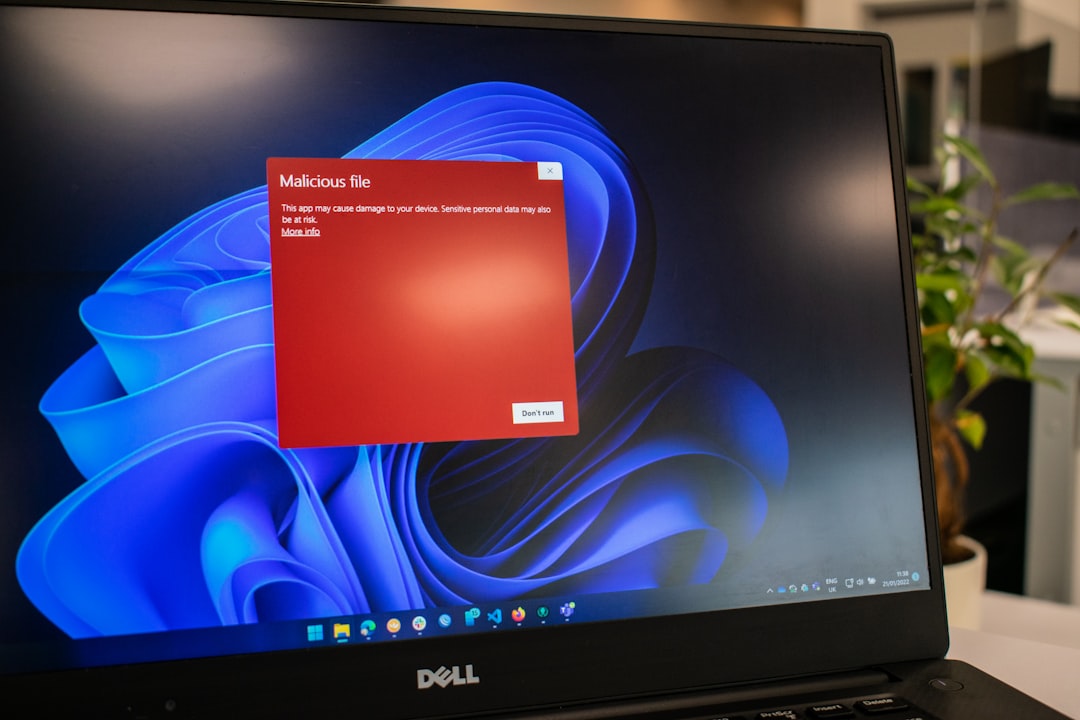
Fake antivirus scare tactics—also called scareware—are deceptive messages meant to manipulate users through fear. Usually appearing as pop-ups, these warnings claim that your computer has been infected, even if it hasn’t. They press you to take immediate action by downloading a so-called “solution.” Unfortunately, this “solution” is often malware that compromises your privacy, steals information, and may even demand payment to “fix” these fake issues.
These threats can originate from:
- Malicious websites
- Phishing emails
- Fake advertisements (malvertising)
- Bundled software downloads
And once installed, these programs can:
- Continuously bombard you with false virus alerts
- Throttle system performance
- Prevent you from uninstalling them easily
- Steal sensitive data like credit card information or passwords
How to Identify a Fake Antivirus Scam
Spotting a fake antivirus alert can help you avoid falling into a trap. Here are several red flags to look out for:
- Urgency and Fear Tactics: Real antivirus programs may notify you of threats, but fake ones exaggerate the danger and urge immediate action.
- Unfamiliar Software Names: If the software isn’t from a trusted brand like Norton, Bitdefender, McAfee, or similar, be suspicious.
- Web Browser Warnings: Antivirus alerts should not come from your browser. If you see messages through a browser tab or pop-up, it’s likely fake.
- Payment Request to Fix Issues: Reputable antivirus programs do not demand money for “emergency fixes” out of the blue.
Being familiar with the layout and style of your legitimate antivirus program is key. If you receive an alert and it looks different from your usual notification style, do not trust it automatically.
Common Scenarios Where You May Encounter Fake Antivirus Software
Cybercriminals are clever—here are common scenarios where users get tricked:
1. Fake Virus Alerts on Websites
Some websites—especially streaming, pirated content, or adult sites—are notorious for hosting misleading ads. These may instantly trigger full-screen alerts warning you of infections and suggesting you call a toll-free number for support or download a “fix.” These should be ignored and closed immediately.
2. Phishing Emails with Antivirus Links
Scammers often send convincing emails from what appears to be a legitimate company, offering a “free virus scan.” These emails usually contain links or attachments that initiate the installation of malware.
3. Bundled Downloads
Some freeware or third-party download sites bundle fake antivirus programs with legitimate tools. Always use official websites and avoid clicking “Next” rapidly during installation; opt out of extra software when prompted.
Steps to Stay Secure
Protecting yourself doesn’t require advanced tech knowledge, but it does require some vigilance.
1. Use Reputable Antivirus Software
Stick with antivirus programs from well-known developers. These utilities update regularly and offer real-time protection against threats, including scareware.
2. Enable Browser and System Security Features
Modern browsers often detect shady websites and warn you. Similarly, keep your operating system and apps updated to benefit from security patches.
3. Be Suspicious of Pop-Ups
If a pop-up appears while browsing, never click on it—even the cancel button can sometimes be deceptive. Close the browser using Task Manager (Ctrl + Shift + Esc on Windows) or Force Quit (Command + Option + Escape on Mac).
4. Scan Your System
If you suspect you’ve encountered or clicked on a fake antivirus message, run a full scan using a trusted antivirus product immediately. This can detect and remove any malware that may have entered your system.
5. Educate Yourself and Others
The more you know, the safer you are. Help friends, family, and coworkers learn the signs of fake antivirus tricks so they can avoid them too.
What to Do If You Installed a Fake Antivirus
If you already downloaded and installed suspect software, don’t panic. Follow these steps:
- Disconnect from the Internet: This prevents the malware from sending or receiving data.
- Enter Safe Mode: Booting in Safe Mode limits what runs, making malware easier to eliminate.
- Run a Scan with a Legitimate Antivirus: Use trusted tools like Malwarebytes, Bitdefender, or Norton to scan your computer fully.
- Remove Any Detected Threats: Carefully follow the antivirus program’s instructions to clean your system.
- Change Your Passwords: If you suspect the malware collected information, change all your critical passwords—especially for banking or email services.
Do Not Trust Cold Calls or Pop-Up Hotlines
Sometimes, fake antivirus scams go one step further by including a toll-free number to “tech support.” These scammers often claim to be from Microsoft, Apple, or other major providers. Do not call these numbers. No legitimate company will contact you proactively about virus issues unless you’ve reached out to them first.
Future-Proofing Yourself
Threats evolve, and scam tactics will continue to get more sophisticated. Here’s how to stay resilient:
- Install web filtering software that blocks access to known malicious domains.
- Use a secure DNS service such as OpenDNS or Cloudflare for added protection at the network level.
- Stay informed by subscribing to cybersecurity news blogs or newsletters that alert about the latest scams.
Your digital safety is largely in your hands. Practicing caution, applying knowledge, and keeping tools updated are three key steps to ensuring you’re never caught off guard by fake antivirus schemes.
Conclusion
Fake antivirus scare tactics are not just annoying—they’re dangerous and often a gateway to more significant security breaches. Fortunately, by understanding how these scams work and adopting preventative practices, you can defend yourself and others from these modern digital threats. When something feels suspicious, it usually is. Take a breath, verify the source, and make sure you’re relying on real security software—not an imposter in disguise.
Published on January 22, 2026 under .
