Virtual reality headsets can run on their own, but sometimes that power is not enough. Games feel heavier. Graphics look simpler. That’s where Oculus Link fits in. It allows a standalone headset to use a PC for stronger performance.
This article explains what Oculus Link is, how it works, what you can do with it, and what to think about before using it.
What Is Oculus Link?
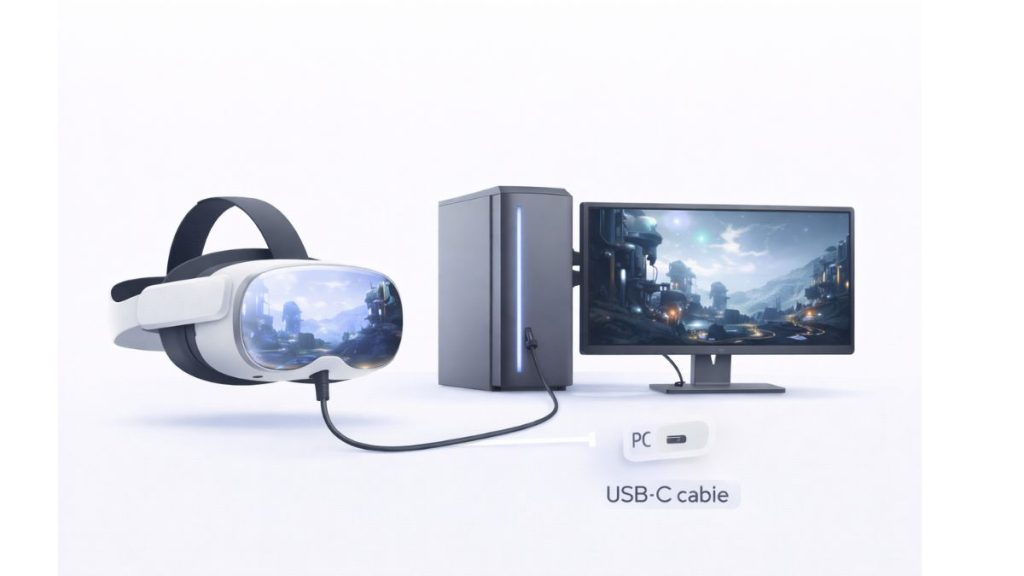
Oculus Link is a feature created by Meta. It connects a Meta Quest headset to a computer using a cable. Once connected, the headset can run PC-based VR content instead of relying only on its internal hardware.
This means your Quest headset can act like a full PC VR headset when plugged in, then return to standalone mode when disconnected.
How Oculus Link Works?
Oculus Link uses a wired connection to stream VR content from your PC to your headset. The PC does the heavy processing. The headset shows the image and tracks movement.
The process works like this:
- The headset connects to a PC using a USB-C cable
- Meta’s PC software manages the link
- The PC renders VR visuals
- The headset sends head and controller movement back to the PC
Because the connection is wired, latency stays low and performance stays steady.
Devices That Support Oculus Link
Oculus Link works with modern Meta Quest headsets, including:
- Meta Quest 2
- Meta Quest 3
- Meta Quest Pro
Other VR headsets or older Oculus devices do not support Oculus Link.
What You Need to Use Oculus Link?
Before using Oculus Link, a few requirements must be met:
- A Windows PC capable of running PC VR
- A high-quality USB-C Cable
- Meta Quest Link software installed on the PC
- Updated headset firmware
The official cable is reliable, but many third-party cables also work if they support fast data transfer.
Oculus Link vs Air Link
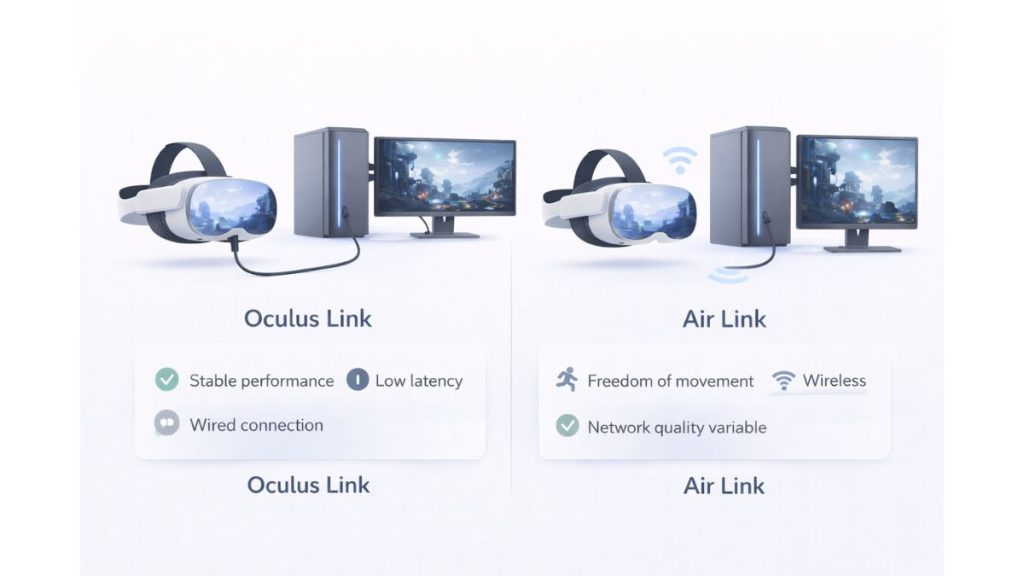
Oculus Link uses a cable. Air Link works wirelessly over Wi-Fi.
Oculus Link usually offers:
- More stable performance
- Lower delay
- Fewer connection drops
Air Link offers:
- Freedom of movement
- No cable management
- Dependence on strong network quality
If performance matters more than freedom, Oculus Link is often the better choice.
What You Can Do with Oculus Link?
With Oculus Link enabled, your headset gains access to more power than standalone mode can offer. The PC takes over the heavy processing, which allows you to play demanding PC VR games with better graphics and more detail. You can also access PC-based VR platforms and larger game libraries that are not available directly on the Quest.
Creative and productivity VR apps run more smoothly, especially those that need higher system resources. In complex scenes, frame rates feel more stable, and VR titles that require stronger hardware become usable. All of this works because the PC handles rendering instead of the headset.
Limitations and Things to Consider
Oculus Link has trade-offs that matter for daily use.
Keep these points in mind:
- You are physically connected to the PC by a cable
- Cable length can limit movement
- PC hardware quality directly affects performance
- Initial setup can feel confusing for first-time users
- Portability is reduced compared to standalone use
For some users, the cable is a small price for better visuals. For others, it feels restrictive.
Conclusion
Oculus Link gives Meta Quest headsets access to PC-level VR power. It improves performance, graphics, and app availability, while still allowing standalone use when unplugged. If you want stable, high-quality VR experiences, Oculus Link is a solid option.
If this article helped you understand Oculus Link better, share it with someone exploring VR. If you already use it, leave a comment and share what worked well for you.
Published on January 8, 2026 under .
